這是什麼?
免費的線上 Pantone 色票轉換工具:輸入 Pantone(PMS)色號可以查到對應的 HEX / RGB / CMYK 值;反過來輸入任何 HEX 或 RGB 顏色,也能找到最接近的 Pantone 色號。
為什麼需要它?
2022 年起 Adobe 把 Pantone 色庫從 Photoshop、Illustrator、InDesign 移除,想在 Adobe 軟體裡用 Pantone,官方要你訂閱 Pantone Connect 外掛(付費)。很多設計師搜尋 “photoshop pantone plugin” 其實只是想查個色號——這件事不需要裝任何外掛。
這個工具就是為此而生:瀏覽器打開、輸入色號、直接拿到數值,貼回 Photoshop 或任何軟體都能用。
Who is this for? (English)
A free web-based Pantone color converter — convert PANTONE ↔ HEX / RGB / CMYK instantly in your browser. Since Adobe removed Pantone libraries from Photoshop and Illustrator, designers searching for a “Photoshop Pantone plugin” often just need the color values: no plug-in install, no subscription — open the site, type a PMS code (or paste any HEX), get the conversion, paste it back into your design tool.
怎麼用?
- 點上方「打開工具」(或直接前往)
- 輸入 Pantone 色號(例如
PANTONE 186 C)或任何 HEX / RGB 值 - 立刻拿到對應數值與最接近的色號,複製貼回你的設計軟體
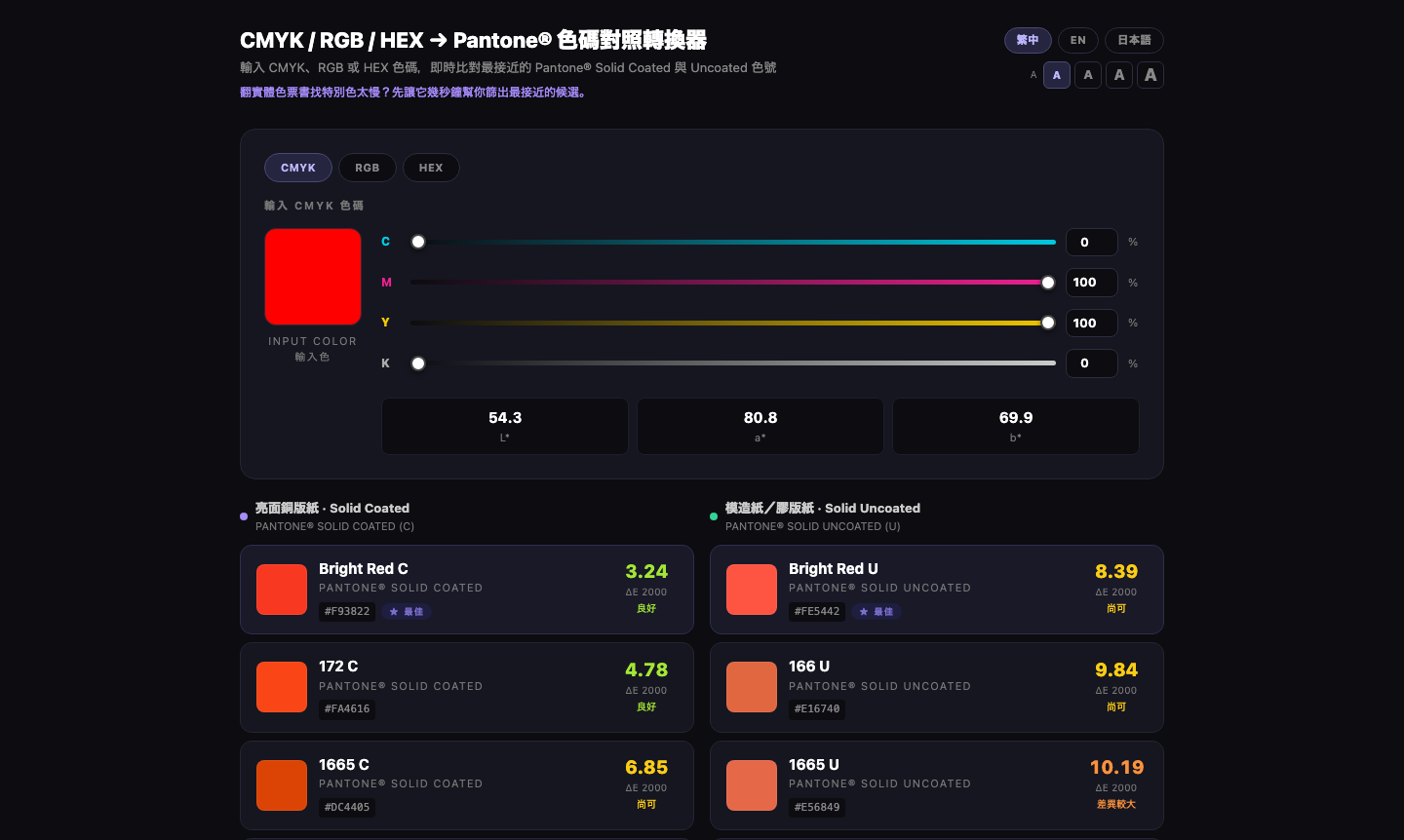
輸入 CMYK / RGB / HEX,馬上用 ΔE 2000 專業色差算出最接近的 Pantone 色號,銅版紙(Coated)與膠版紙(Uncoated)分開列、還標出配對品質:
關於付費功能
基本色票轉換免費開放使用,現在就能用 ✨ 進階的付費解鎖功能還在製作中,之後會推出——敬請期待!